
RedotPay কার্ড Alipay-তে যুক্ত করার উপায়
সাপোর্ট থাকলে RedotPay Visa card Alipay-তে add করা ও verification complete করার ধাপে ধাপে গাইড।
সারসংক্ষেপ
Checked 2026-07-20
আপনার Alipay account, card এবং region supported হলে RedotPay Visa card add করার চেষ্টা করতে পারেন।
Alipay কিছু account ও merchant situation-এ international cards support করতে পারে। আপনার RedotPay card ও Alipay account eligible হলে RedotPay Visa card bank card হিসেবে add করার চেষ্টা করতে পারেন।
শুরু করার আগে
- Active Alipay account.
- Active RedotPay Visa card.
- Card details দেখার জন্য RedotPay app access.
- Alipay verification method access.
- Small test-এর জন্য enough balance.
Quick path
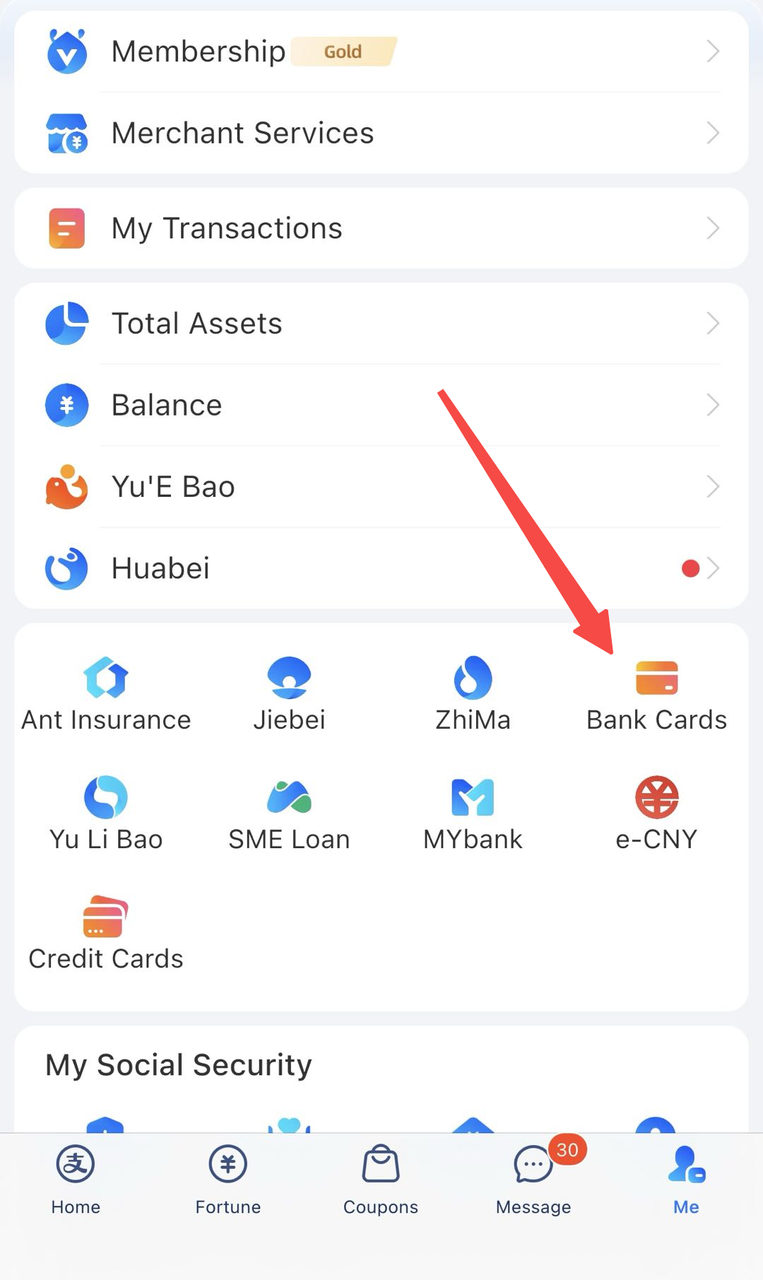
- Alipay খুলুন.
- Me-তে যান.
- Bank Cards tap করুন.
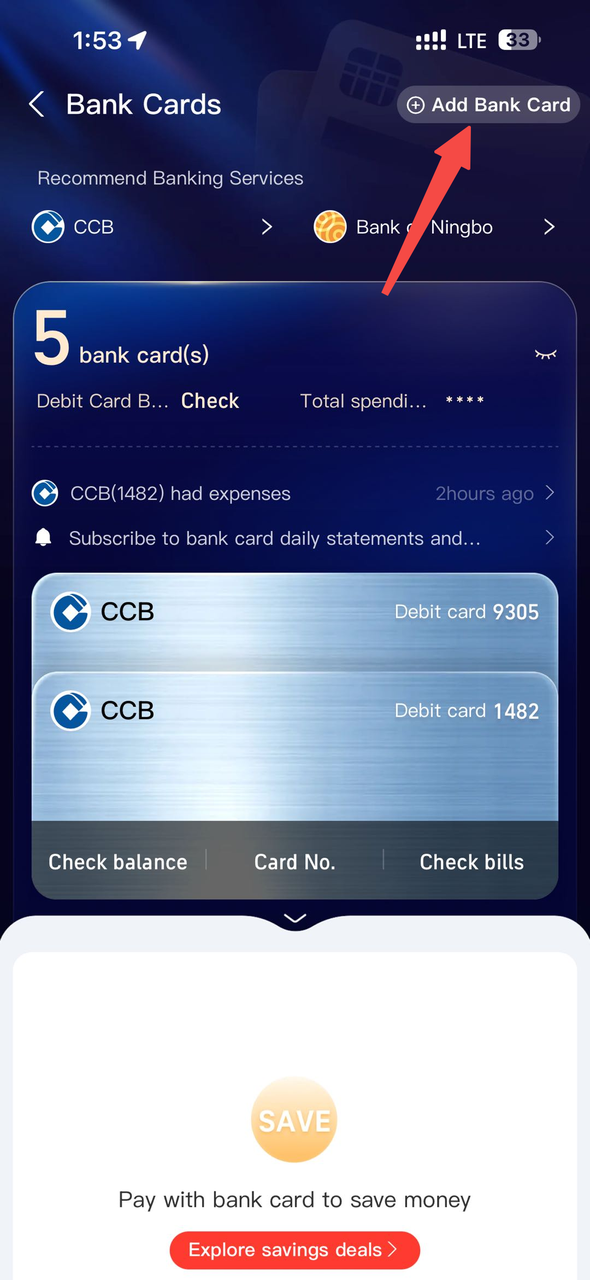
- Add Bank Card tap করুন.
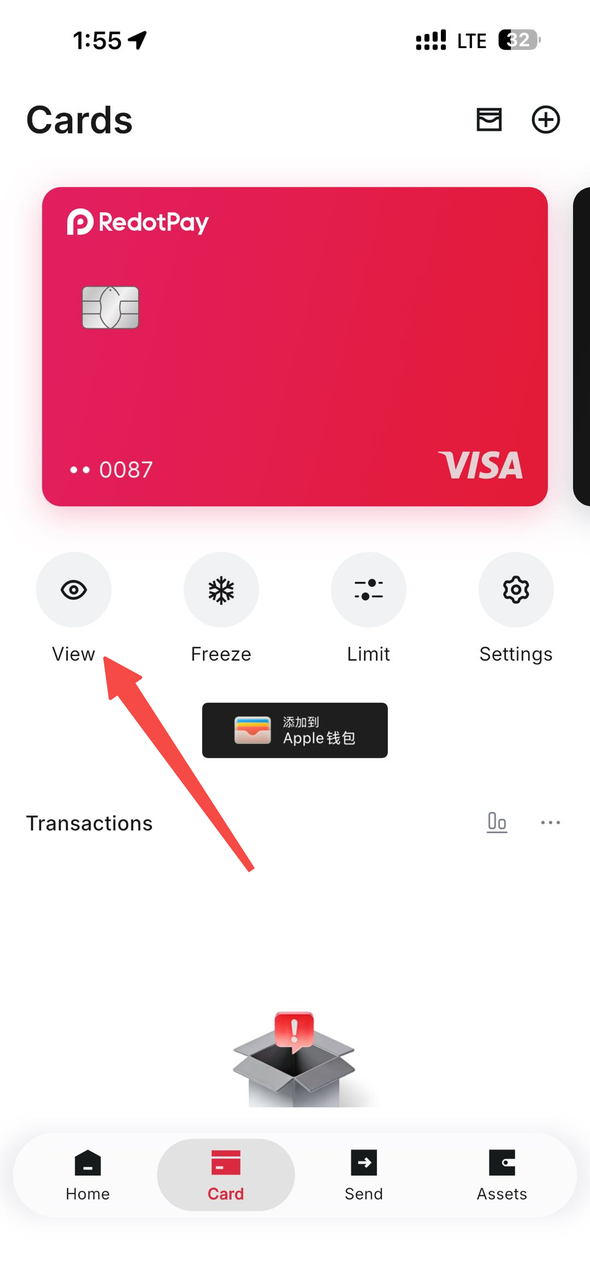
- RedotPay app-এ card number দেখুন.
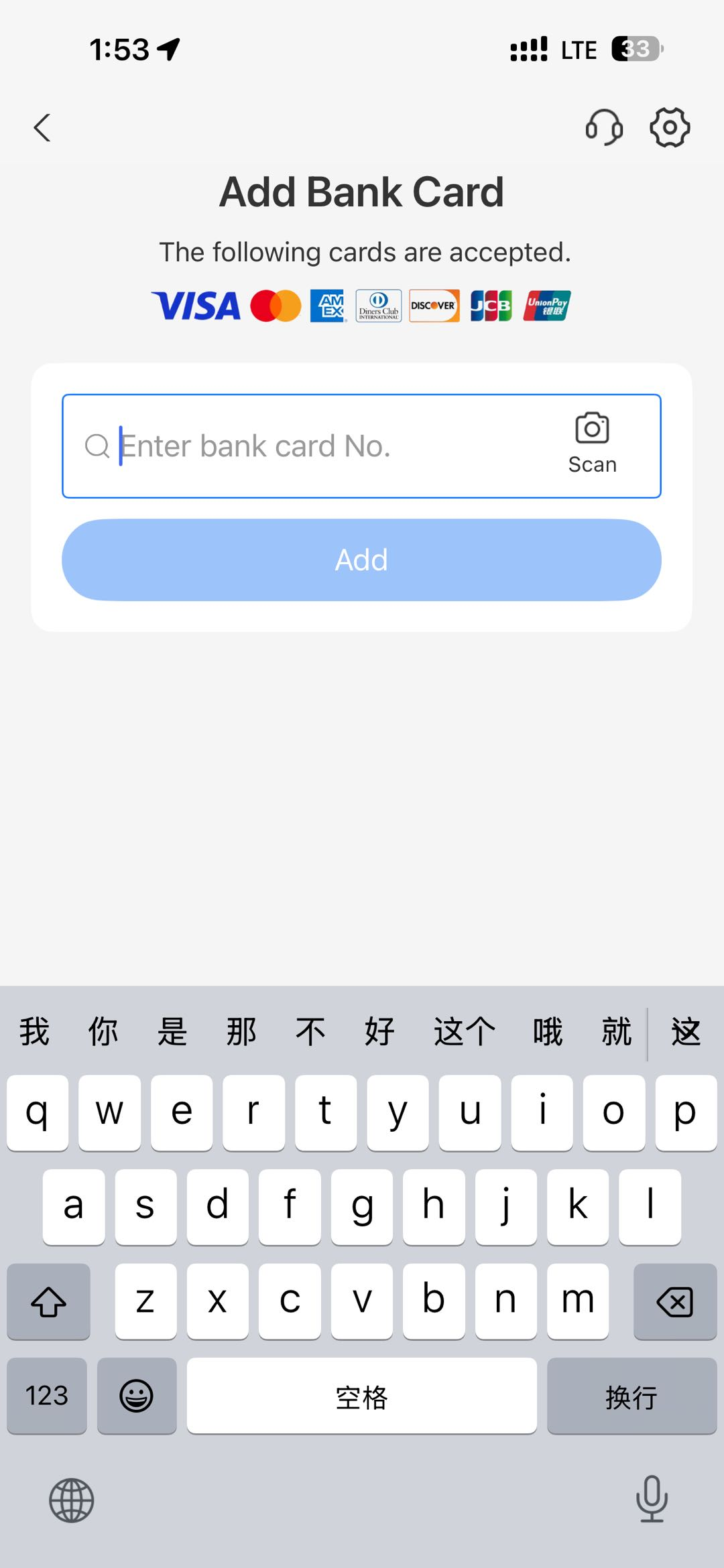
- Alipay-তে details enter করুন.
- Verification complete করুন.
Screenshot সহ steps
Alipay-তে Me খুলে Bank Cards tap করুন.
Add Bank Card tap করুন.
RedotPay Visa card number enter করুন। Alipay চাইলে expiry, CVV, name বা phone details দিন।
Card number দেখতে RedotPay খুলুন, Card-এ যান, View tap করুন এবং security check complete করুন।
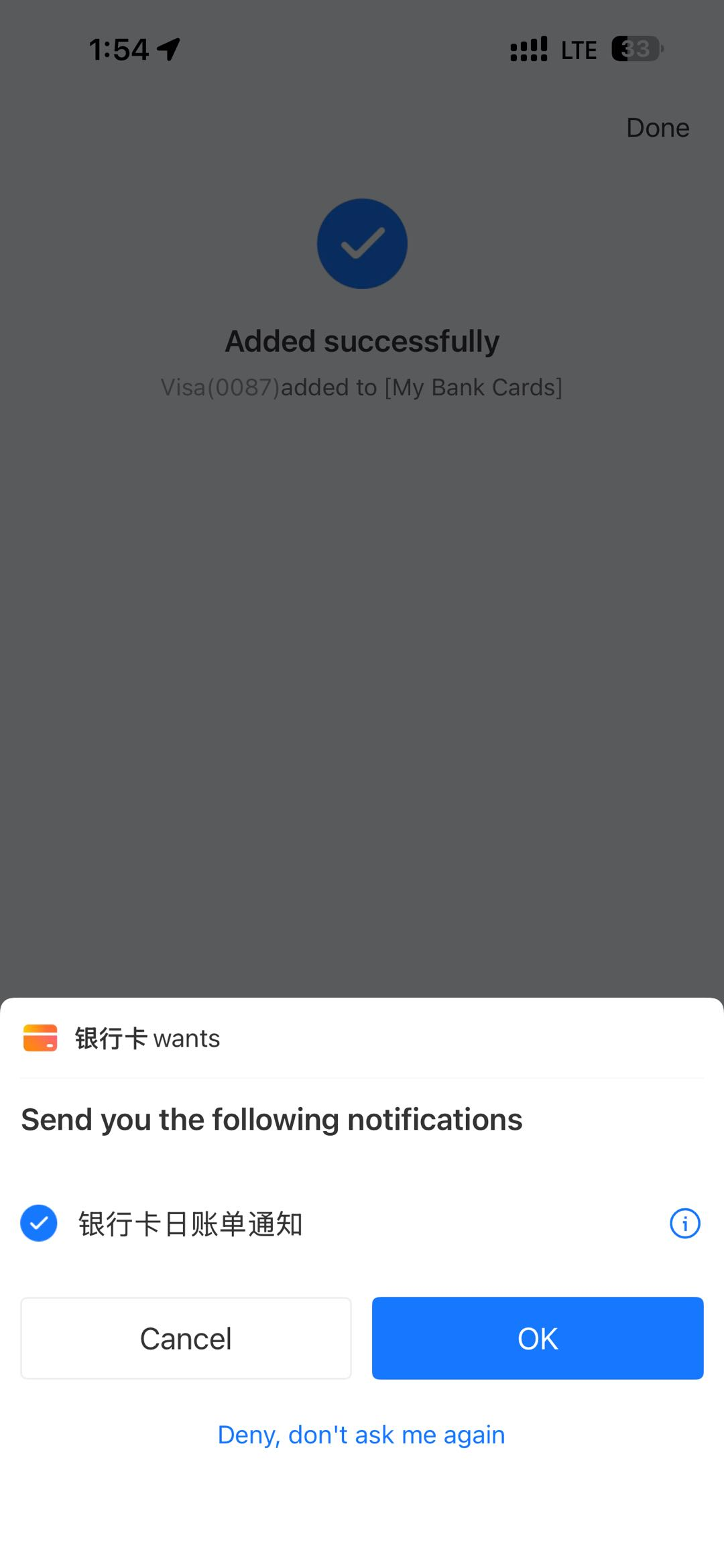
Card accepted হলে Alipay success screen দেখায়।
Troubleshooting
| Issue | কী check করবেন |
|---|---|
| Card number rejected | RedotPay app-এ number, expiry ও CVV recheck করুন. |
| Verification fails | Alipay verification prompts complete করুন. |
| Binding fails | Card active ও funded কিনা confirm করুন. |
| Payments fail | Merchant বা transaction type unsupported হতে পারে. |
Card add হলেই সব Alipay payment guaranteed নয়। আগে small supported payment test করুন।
RedotPay account তৈরি করুন এই link ব্যবহার করুন অথবা app-এ referral code 3wiyh দিনSources and verification
- How to use a RedotPay card for transactions — Official RedotPay, checked 2026-07-20
সাধারণ প্রশ্ন
RedotPay card কি Alipay-তে add করা যায়?
RedotPay card number কোথায় পাব?
Alipay binding fail করলে কারণ কী?
এই বিভাগে Payment ও subscription
সম্পর্কিত guide
- RedotPay কার্ড WeChat Pay-তে যুক্ত করার উপায় সাপোর্ট থাকলে RedotPay Visa card WeChat Pay Wallet-এ add করার ধাপে ধাপে গাইড।
- RedotPay কার্ড Google Pay ও Google Play-তে যুক্ত করার উপায় সাপোর্ট থাকলে RedotPay Visa card Google Wallet ও Google Play payments-এ যোগ করার ধাপে ধাপে গাইড।
- RedotPay কার্ড Apple Pay ও App Store-এ কীভাবে যোগ করবেন RedotPay Visa card Apple Pay-তে যোগ করা এবং supported হলে App Store payment method হিসেবে ব্যবহার করার step-by-step guide.
- Bangladesh-এ RedotPay দিয়ে ChatGPT ও Gemini Payment? Bangladesh-এ ChatGPT ও Google AI availability, RedotPay acceptance uncertainty, billing check, safe test এবং fallback decision দেখুন।
- Bangladesh-এ RedotPay Virtual Card: Price ও Setup 2026 Bangladesh-এ RedotPay virtual-card route, $10 price, PAY8U checkout rule, KYC, billing address এবং local-law caveat দেখুন।
RedotPay support in Bangladesh
Checked 2026-09-14- Account & KYC
- Conditional — check in app
- Virtual card
- Conditional — check in app
- App access
- Available
Current RedotPay restriction lists leave a conditional account and card route. Bangladesh Bank restricts transactions to obtain virtual assets, so check current local rules before funding this stablecoin-based product.
Recommended path: register, complete KYC, and check virtual-card eligibility in the app.
RedotPay sign-up reward ও virtual-card discount নিন
দুটি offer আলাদা ধাপে ব্যবহার করতে হয়। Sign-up reward দিয়ে card application fee দেওয়া যায় না।
Invite-link reward
Eligible হলে আমাদের invite link দিয়ে register করে $5 reward নিন।
Virtual-card promo code
$10 virtual-card application-এর সময় PAY8U দিয়ে 20% discount নিন এবং $8 pay করুন। Payment-এর আগে total confirm করুন।
PAY8U
Alternative virtual-card code: OFF20 / RED08