
How to Link a RedotPay Card to WeChat Pay
Step-by-step guide to add a RedotPay Visa card to WeChat Pay Wallet when supported.
Summary
Checked 2026-07-20
You can try adding your RedotPay Visa card in WeChat Pay if your WeChat account, region, identity status, and card are supported.
WeChat Pay supports adding bank cards for many users, but acceptance depends on your WeChat account, identity status, region, and the card being added. If your setup is eligible, you can try linking your RedotPay Visa card inside WeChat Pay Wallet.
This guide is based on RedotPay’s raw WeChat Pay setup material and expands it into a practical article with caveats. WeChat Pay controls card binding and transaction acceptance, so use the steps below as a setup path to test.
Before you start
Prepare these items first:
- A WeChat account with Pay and Services available.
- WeChat Pay payment password access.
- An active RedotPay Visa card.
- Access to the RedotPay app so you can reveal card details.
- Enough balance for any small authorization or first payment.
If WeChat asks you to complete identity verification before adding a card, follow the in-app requirements before retrying.
Create a RedotPay account Use this link, or enter referral code 3wiyh in the appQuick path
The raw setup flow is:
- Open WeChat.
- Go to Me.
- Tap Pay and Services.
- Open Wallet.
- Tap Bank Cards.
- Tap Add a Bank Card.
- Enter your RedotPay card number or follow the bank-card prompts.
- Verify with your WeChat Pay payment password.
- Confirm that the card shows as added.
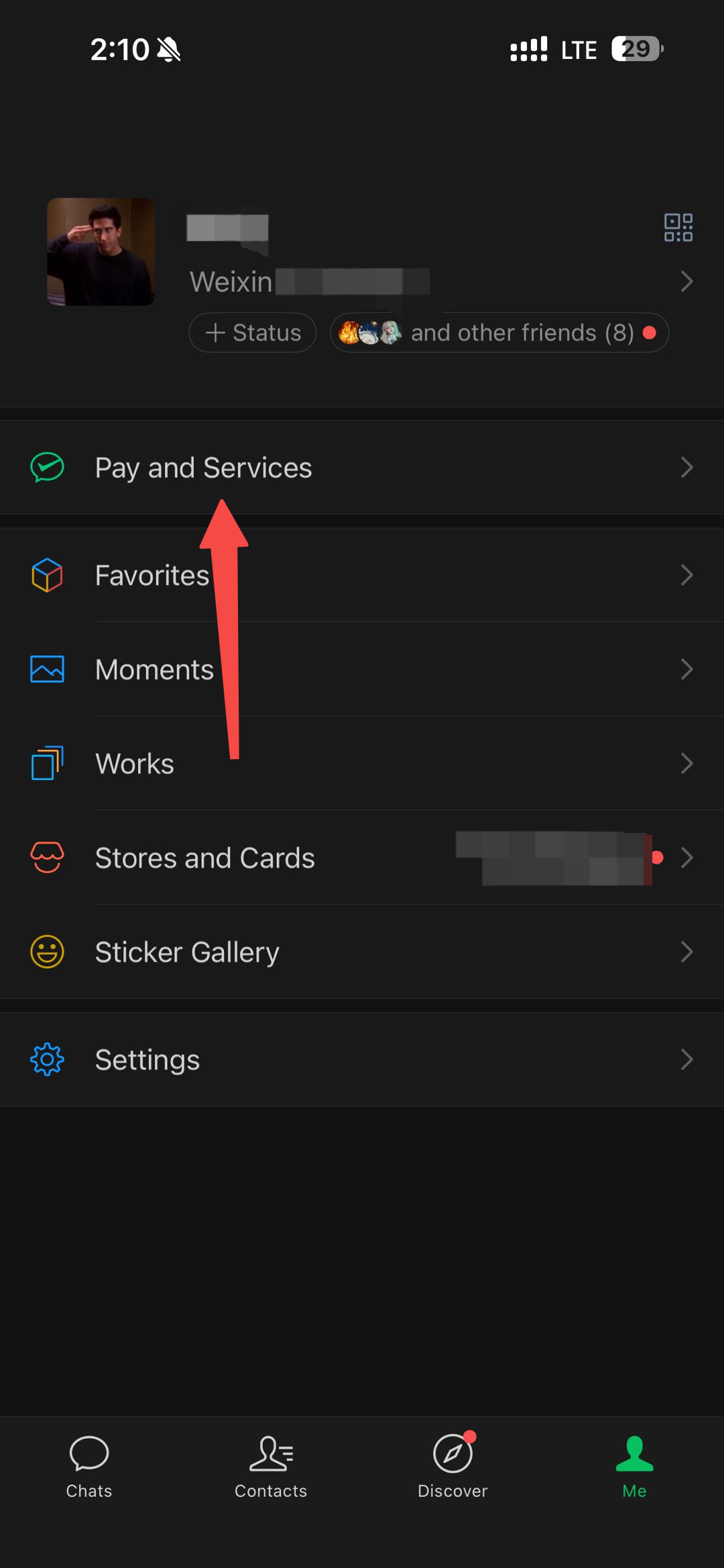
Step 1: Open Pay and Services
Open WeChat and tap Me in the bottom navigation. Then tap Pay and Services.
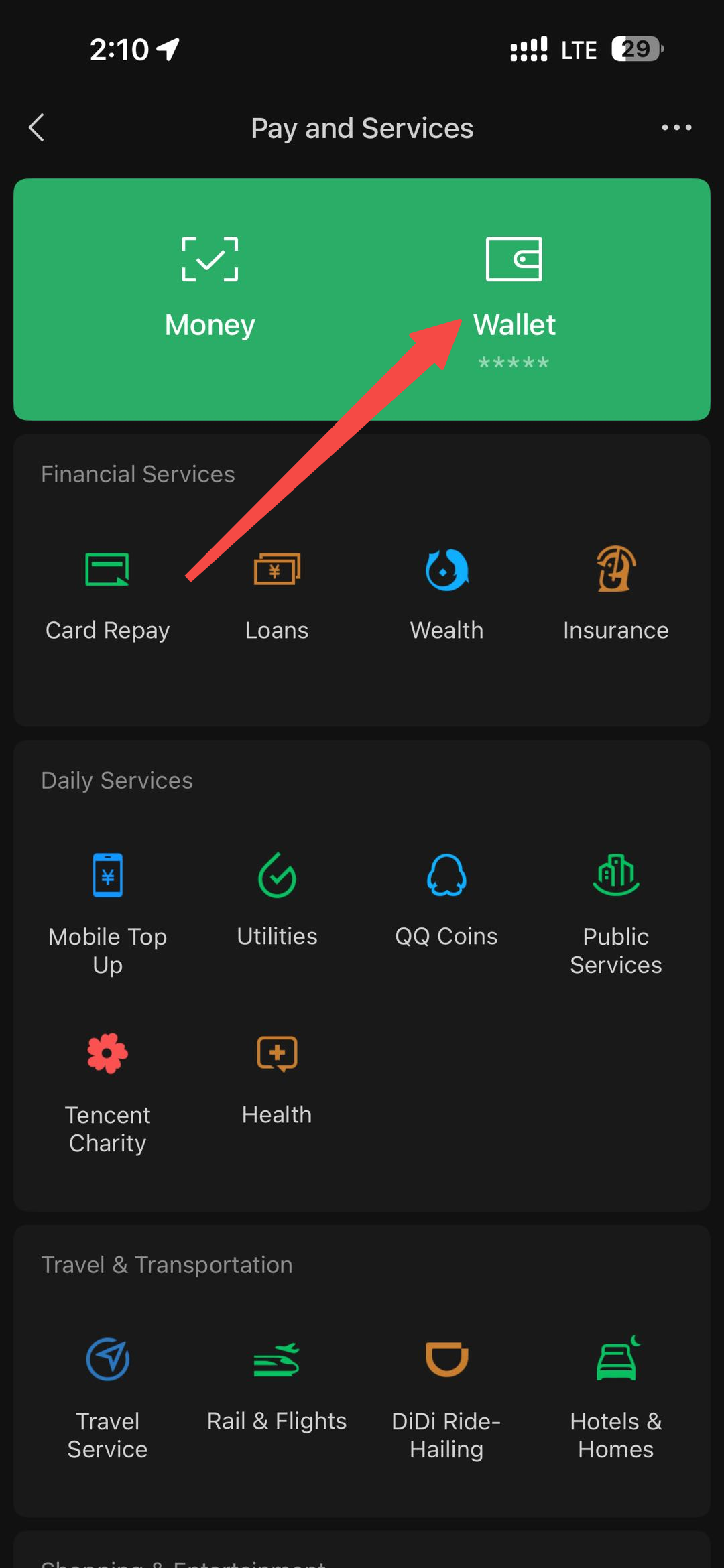
Step 2: Open Wallet
On the Pay and Services page, tap Wallet. The Wallet area is where WeChat Pay manages balance, cards, and payment settings.
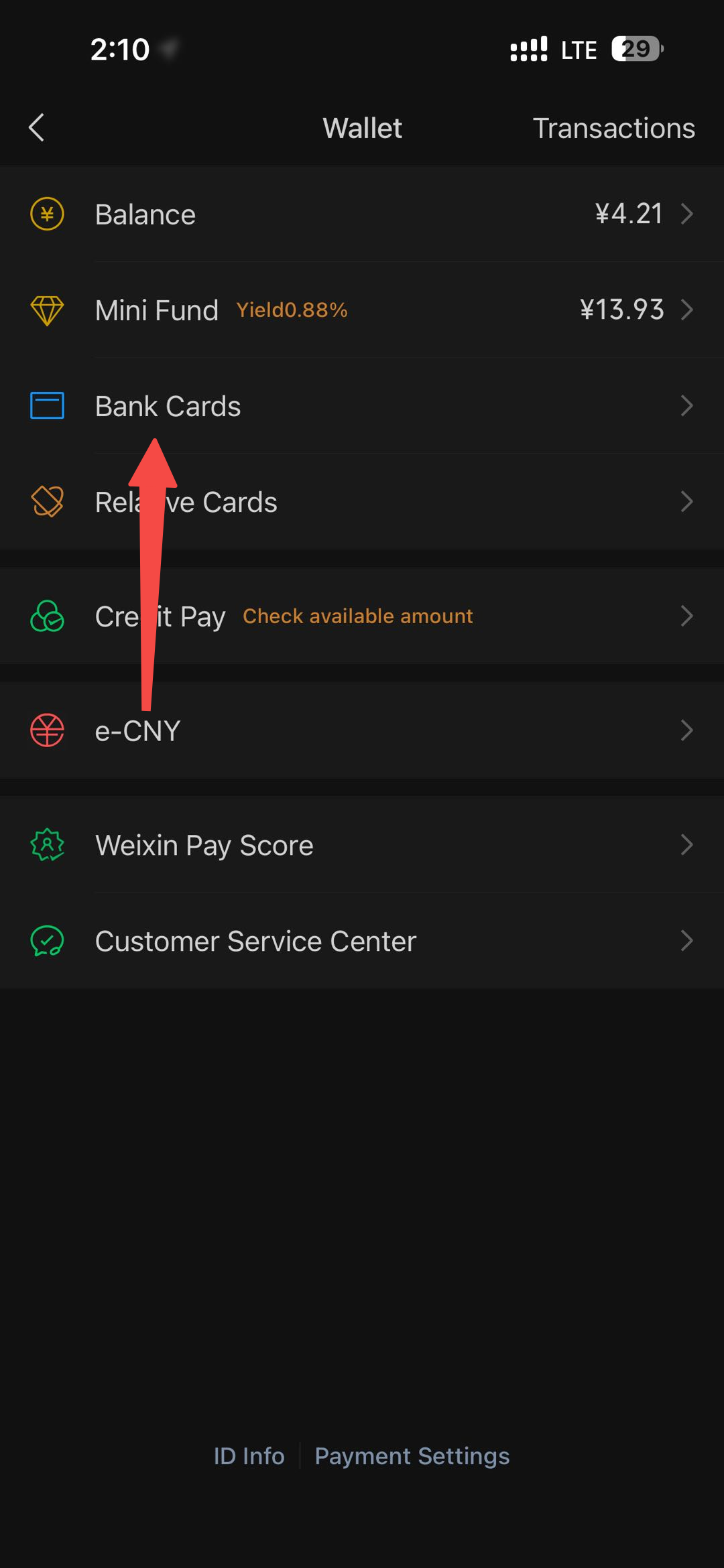
Step 3: Go to Bank Cards
Inside Wallet, tap Bank Cards. You should see any cards already linked to your WeChat Pay account.
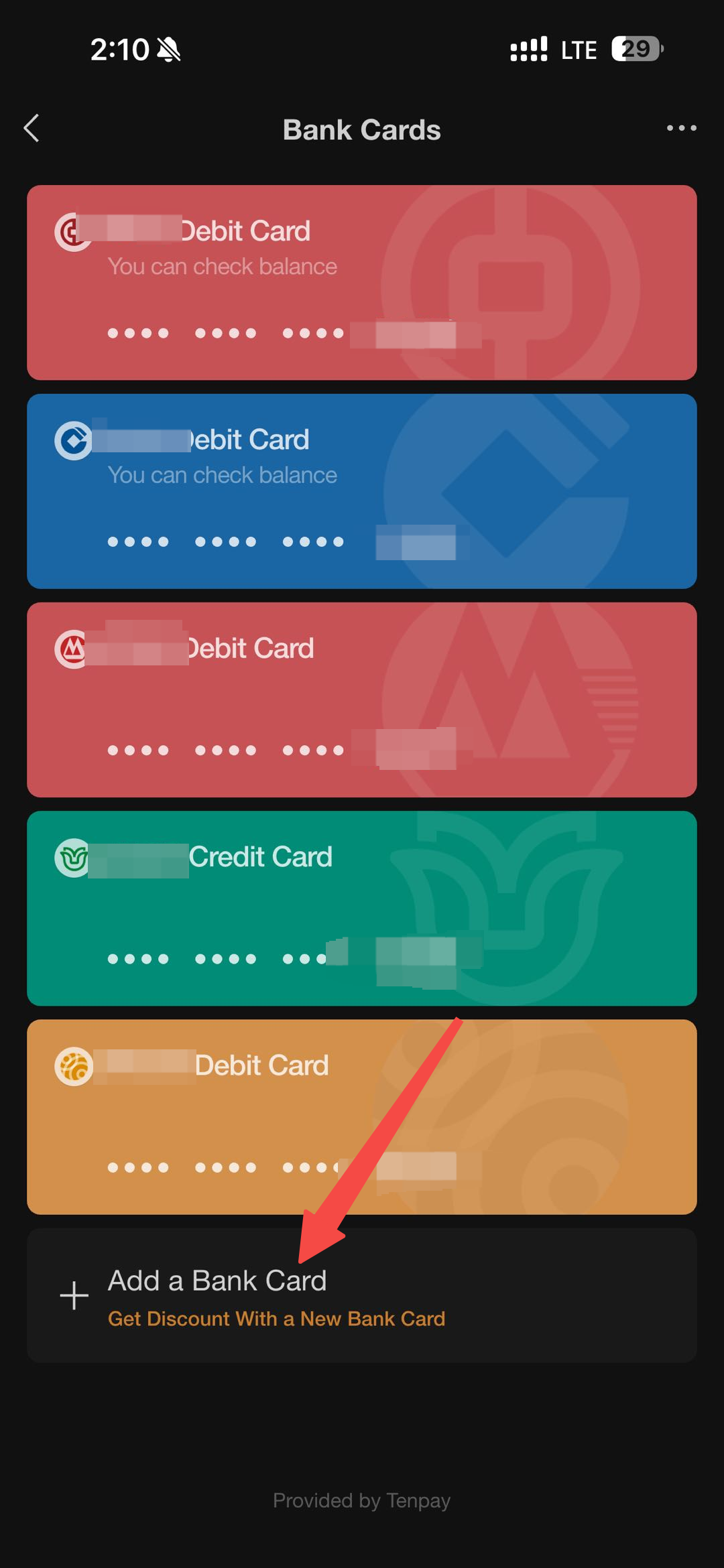
Step 4: Add a bank card
On the Bank Cards page, tap Add a Bank Card. WeChat may ask for your payment password before letting you continue.
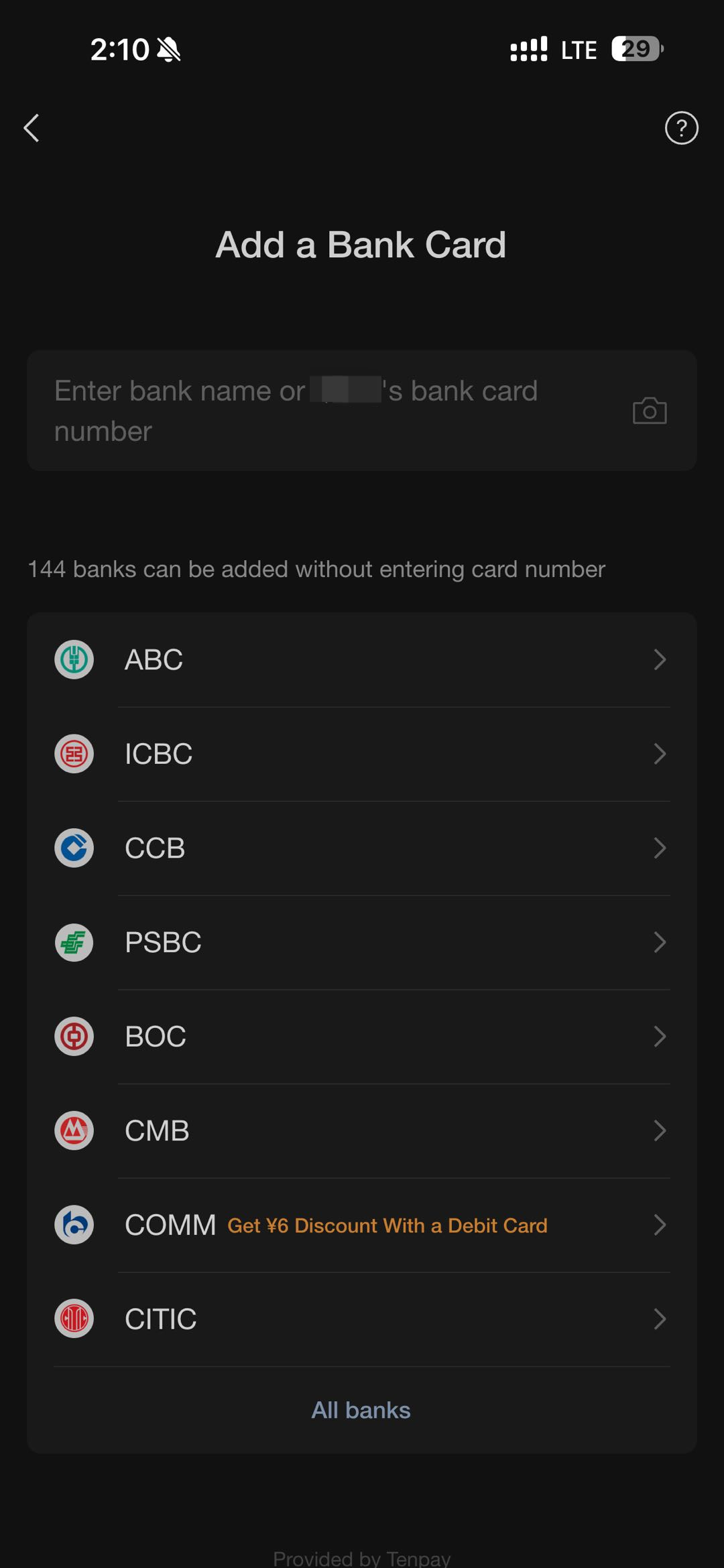
Step 5: Enter your RedotPay card information
On the Add a Bank Card screen, enter your RedotPay card number if WeChat accepts manual card entry. Depending on your account and app version, WeChat may also show a list of supported banks or require additional identity details.
Step 6: Find your RedotPay card details
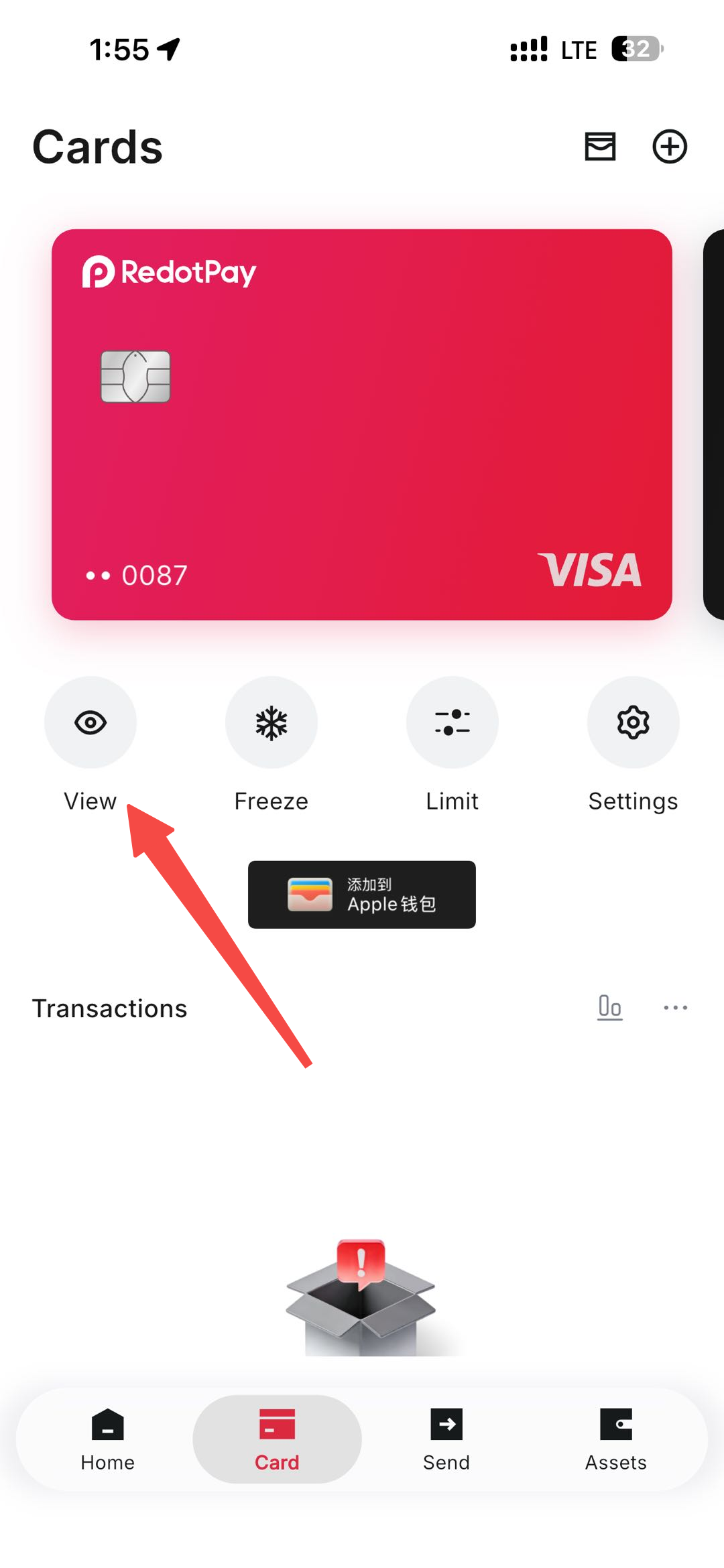
If you need the full RedotPay card number:
- Open the RedotPay app.
- Tap Card in the bottom menu.
- Tap View on your RedotPay Visa card.
- Complete any security verification required in RedotPay.
- Copy the card number, expiry date, and CVV.
- Return to WeChat and complete the card form.
Step 7: Verify and finish
WeChat may ask for your payment password to confirm the action. After verification, the card should show as added if WeChat Pay accepts it.
If the card is added, test with a small supported transaction before relying on it for daily payments.
Troubleshooting
| Issue | What to check |
|---|---|
| Pay and Services is missing | WeChat Pay may not be available for your account region or app configuration. |
| Add a Bank Card is blocked | Complete any WeChat identity or payment-password setup first. |
| Card number is rejected | Recheck the full card number, expiry date, and CVV in RedotPay. |
| Verification fails | Confirm your WeChat Pay payment password and any identity prompts. |
| Payment fails after linking | The merchant, transaction type, or card setup may not be supported. |
Practical notes
Adding a RedotPay card to WeChat Pay does not guarantee that all WeChat payments will work. Support can vary by account region, identity verification, merchant category, card status, and WeChat Pay rules.
Keep your RedotPay card funded, try a small transaction first, and keep the RedotPay app available in case you need to confirm card details or respond to a verification prompt.
Create a RedotPay account Use this link, or enter referral code 3wiyh in the appSources and verification
- How to use a RedotPay card for transactions — Official RedotPay, checked 2026-07-20
Frequently asked questions
Can I add a RedotPay card to WeChat Pay?
Where is Wallet in WeChat?
Why did WeChat Pay card binding fail?
Part of Payments and Subscriptions
Related guides
- How to Link a RedotPay Card to Alipay Step-by-step guide to add a RedotPay Visa card to Alipay and complete verification when supported.
- How to Link a RedotPay Card to Google Pay and Google Play Step-by-step guide to add a RedotPay Visa card to Google Wallet and Google Play payments when supported.
- How to Link a RedotPay Card to Apple Pay and App Store Step-by-step guide to add a RedotPay Visa card to Apple Pay and use it as an App Store payment method when supported.
- How to Use the $5 Sign-Up Reward Learn how the RedotPay $5 sign-up reward works, what it cannot pay for, how long it lasts, and when to use it.
- RedotPay $5 Sign-Up Bonus vs. Card Promo Code: Complete Stacking Guide See how the $5 RedotPay sign-up reward and priority PAY8U card promo work together, why the reward cannot buy the card, and the safest setup path.
Get the RedotPay sign-up reward and virtual-card discount
Use the two offers at different steps. The sign-up reward does not pay the card application fee.
Invite-link reward
Register through our invite link to receive the $5 reward when eligible.
Virtual-card promo code
Enter PAY8U during the $10 virtual-card application to get 20% off and pay $8. Confirm the discounted total before payment.
PAY8U
Alternative virtual-card code: OFF20 / RED08