
How to Link a RedotPay Card to Apple Pay and App Store
Step-by-step guide to add a RedotPay Visa card to Apple Pay and use it as an App Store payment method when supported.
Summary
Checked 2026-07-20
You can try adding your RedotPay Visa card in Apple Wallet if Apple Pay is supported for your card, Apple ID region, and device. Availability can vary by account and region.
RedotPay cards can be useful beyond ordinary online checkout. If your card and region are supported, you may be able to add your RedotPay Visa card to Apple Pay for contactless payments, online Apple Pay checkout, and App Store billing.
This guide is based on RedotPay’s raw Apple Pay and App Store setup material, rewritten as a practical English tutorial. Apple Pay and App Store billing rules can vary by country, device, Apple ID status, and card configuration, so treat the steps below as a setup path to test, not a guarantee that every account will be approved.
Before you start
Prepare these items first:
- An iPhone with Apple Wallet available.
- An active RedotPay Visa card.
- Access to the RedotPay app for verification.
- Enough card balance for any test authorization or first purchase.
- A working Apple ID with no unresolved payment issues.
If you are creating a RedotPay account for the first time, finish registration, KYC, card activation, and funding before trying Apple Pay.
Create a RedotPay account Use this link, or enter referral code 3wiyh in the appPart 1: Check or change your Apple ID region
Some RedotPay Apple Pay and App Store setup flows use Singapore as the Apple ID region. Only change your Apple ID country or region if it is appropriate for your situation. Apple may require you to spend remaining store credit, cancel or wait for subscriptions to expire, and provide valid billing details before the change is accepted.
To review or change the region on iPhone:
- Open Settings on your iPhone.
- Tap your name at the top to open Apple ID settings.
- Go to Media & Purchases.
- Tap View Account and verify with Face ID, Touch ID, or password.
- Tap Country/Region.
- Select Singapore if that is the correct region for your setup.
- Agree to the terms and conditions.
- If asked for a payment method during the region change, select None when available.
If the region change fails, check for active subscriptions, pre-orders, pending payments, or remaining Apple Account balance before trying again.
Part 2: Add your RedotPay card to Apple Pay
Once your RedotPay card is active, add it from Apple Wallet:
- Open the Wallet app on your iPhone.
- Tap the + button in the top-right corner.
- Select Debit or Credit Card.
- Scan your card or manually enter your RedotPay Visa card number.
- Enter the cardholder name, expiry date, and CVV security code.
- Complete verification by SMS or inside the RedotPay app if prompted.
- Wait for Apple Wallet to confirm that the card has been added.
After successful setup, test with a small supported transaction before relying on Apple Pay for an important purchase.
Part 3: Add your RedotPay card to App Store payments
You can also try setting the RedotPay card as your Apple ID payment method for App Store purchases and subscriptions:
- Open the App Store.
- Tap your profile picture in the top-right corner.
- Tap your Apple ID or account name.
- Go to Payment & Shipping.
- Tap Add Payment Method.
- Select Visa.
- Enter your RedotPay card number, expiry date, and CVV.
- Add billing information if Apple requests it.
- Tap Done to save.
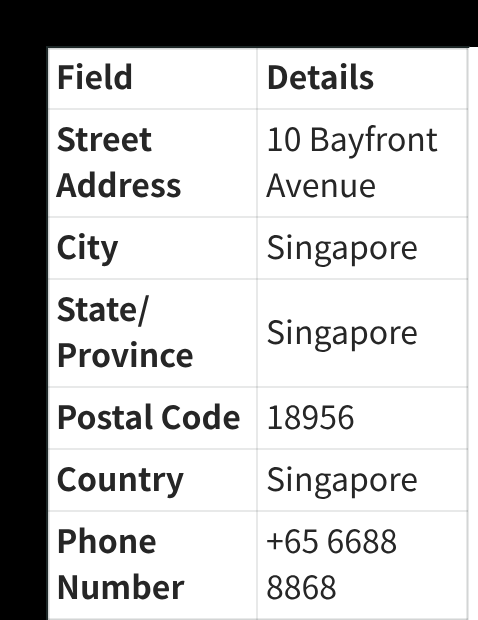
For billing information, use details that are valid for your account and accepted by Apple. The raw setup material includes a Singapore billing-address example, but Apple may reject billing information that does not match your account, card, or regional eligibility.
What you can do after linking
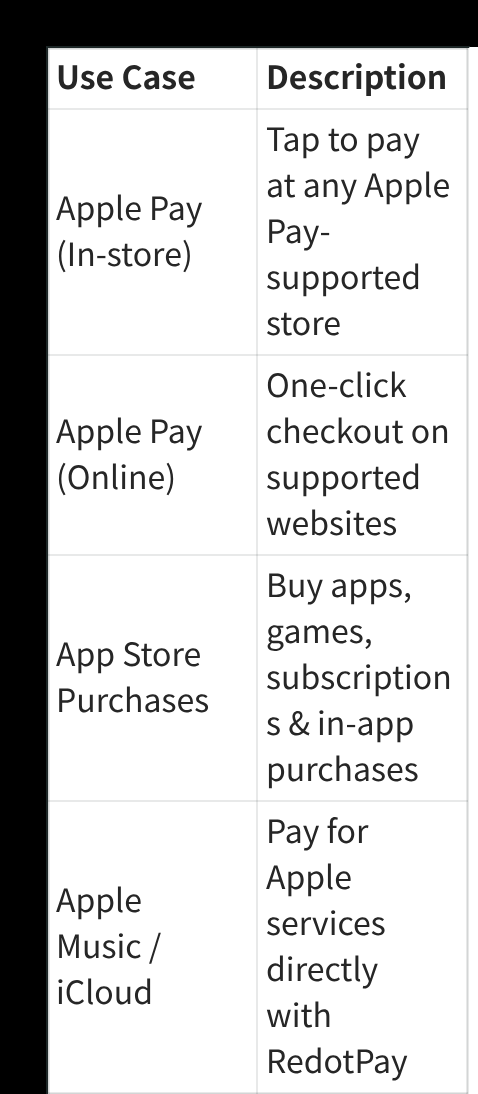
If the card is accepted, common uses include:
| Use case | What it can be used for |
|---|---|
| Apple Pay in stores | Tap to pay at merchants that accept Apple Pay. |
| Apple Pay online | Use Apple Pay checkout on supported websites and apps. |
| App Store purchases | Buy apps, games, subscriptions, and in-app purchases. |
| Apple services | Pay for eligible Apple services such as Apple Music or iCloud. |
Availability still depends on Apple, the merchant, your device, your card status, and regional support.
Troubleshooting
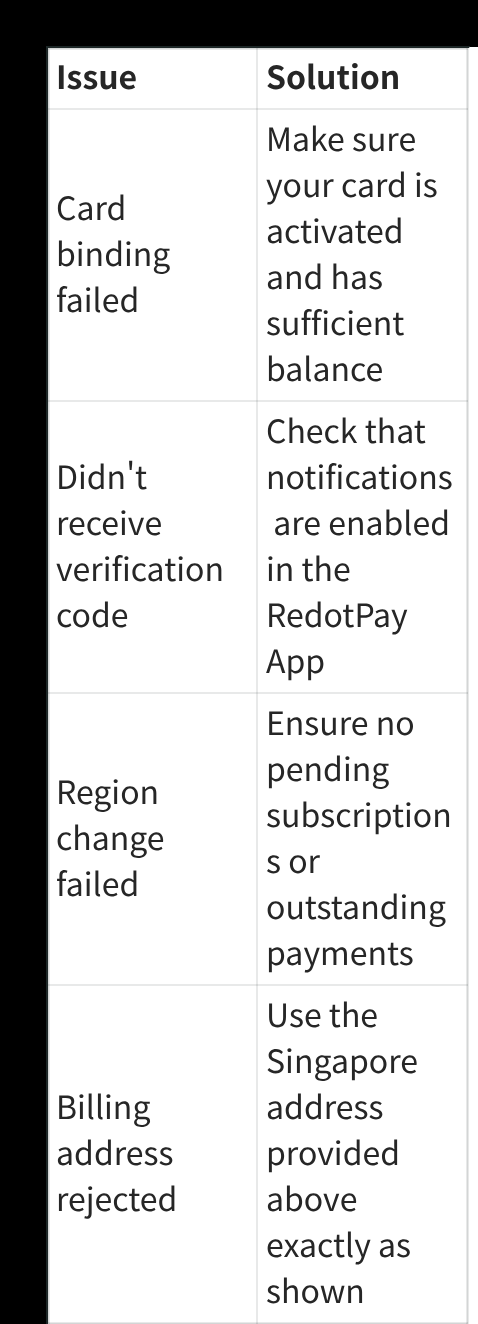
| Issue | What to check |
|---|---|
| Card binding failed | Confirm the card is activated and has enough balance. |
| Verification code did not arrive | Enable RedotPay app notifications and check SMS delivery. |
| Region change failed | Look for active subscriptions, pending payments, or remaining Apple Account balance. |
| Billing address rejected | Use valid billing details for your Apple ID, card, and region. |
| Apple Pay still does not work | Try again later, update iOS, or contact RedotPay support from the app. |
Practical notes
Apple Pay approval is not controlled by this website. If your card cannot be added, the issue may be Apple-side eligibility, card-side restrictions, a temporary verification problem, or a region mismatch.
Keep enough balance on your RedotPay card, watch exchange rates and fees, and avoid changing Apple ID settings right before a time-sensitive purchase. A small test transaction is the calmest way to confirm everything works.
Create a RedotPay account Use this link, or enter referral code 3wiyh in the appSources and verification
- How to use a RedotPay card with Apple Pay — Official RedotPay, checked 2026-07-20
Frequently asked questions
Can I add a RedotPay card to Apple Pay?
Do I need to change my Apple ID region?
Why did Apple Pay verification fail?
Part of Payments and Subscriptions
Related guides
- How to Link a RedotPay Card to Google Pay and Google Play Step-by-step guide to add a RedotPay Visa card to Google Wallet and Google Play payments when supported.
- How to Link a RedotPay Card to Alipay Step-by-step guide to add a RedotPay Visa card to Alipay and complete verification when supported.
- How to Link a RedotPay Card to WeChat Pay Step-by-step guide to add a RedotPay Visa card to WeChat Pay Wallet when supported.
- How to Use the $5 Sign-Up Reward Learn how the RedotPay $5 sign-up reward works, what it cannot pay for, how long it lasts, and when to use it.
- RedotPay $5 Sign-Up Bonus vs. Card Promo Code: Complete Stacking Guide See how the $5 RedotPay sign-up reward and priority PAY8U card promo work together, why the reward cannot buy the card, and the safest setup path.
Get the RedotPay sign-up reward and virtual-card discount
Use the two offers at different steps. The sign-up reward does not pay the card application fee.
Invite-link reward
Register through our invite link to receive the $5 reward when eligible.
Virtual-card promo code
Enter PAY8U during the $10 virtual-card application to get 20% off and pay $8. Confirm the discounted total before payment.
PAY8U
Alternative virtual-card code: OFF20 / RED08