
RedotPay EDD: Simple Document Guide
A simple RedotPay EDD guide. See which source-of-wealth and source-of-funds documents to upload and how to avoid rejection.
Summary
Checked 2026-07-20
EDD is an extra account check. RedotPay may ask where your money or crypto came from.
Did RedotPay ask you to complete EDD? Upload a clear document that shows where your money or crypto came from.
EDD means Enhanced Due Diligence. It is an extra account check. It does not mean you did something wrong. Some account features may be limited until the check is complete.
Upload private documents only in the official RedotPay app or secure account page.
What does RedotPay need?
RedotPay may ask for one or both of these:
| Request | Simple meaning | Example |
|---|---|---|
| Source of Wealth (SOW) | How you built your wealth | Salary, business, investments |
| Source of Funds (SOF) | Where this money came from | Payslip, sale, crypto transfer |
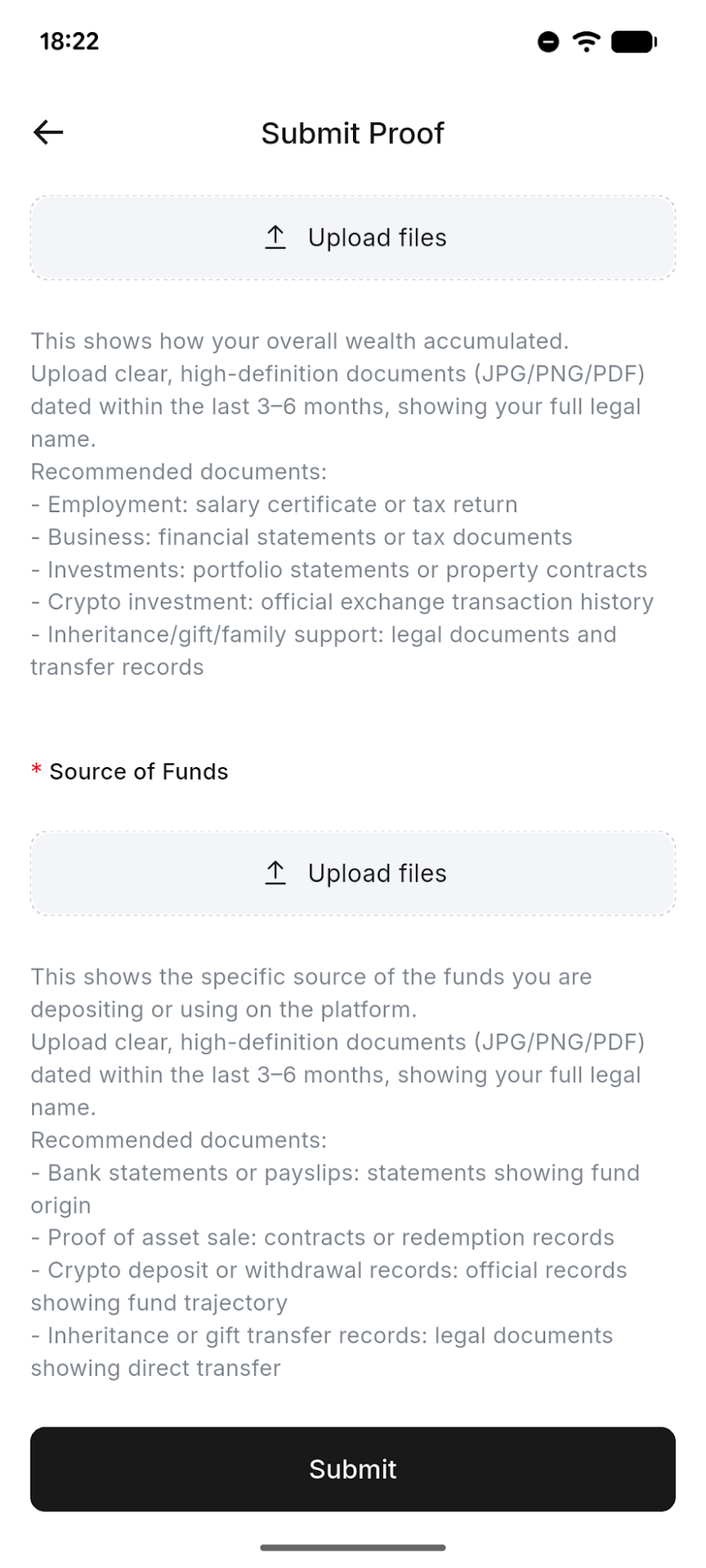
How to submit your documents
- Read the request in the RedotPay app.
- Choose a document from the table below.
- Check that your name, date, and amount are clear.
- Upload the file as JPG, PNG, or PDF.
- Wait for the result in the app.
Which document should you use?
Use a document from the last 3–6 months, unless the app gives a different date.
| Money source | Send this | Show this |
|---|---|---|
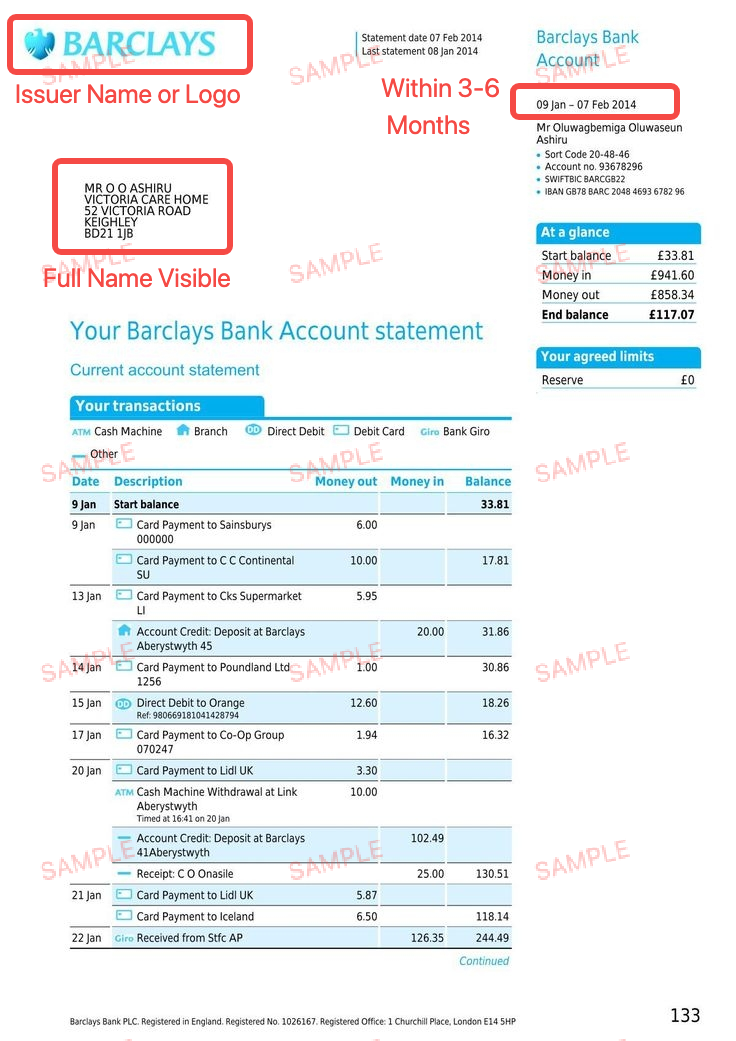
| Job | Payslip or bank statement | Name and salary payment |
| Business | Tax or business record | Name and income |
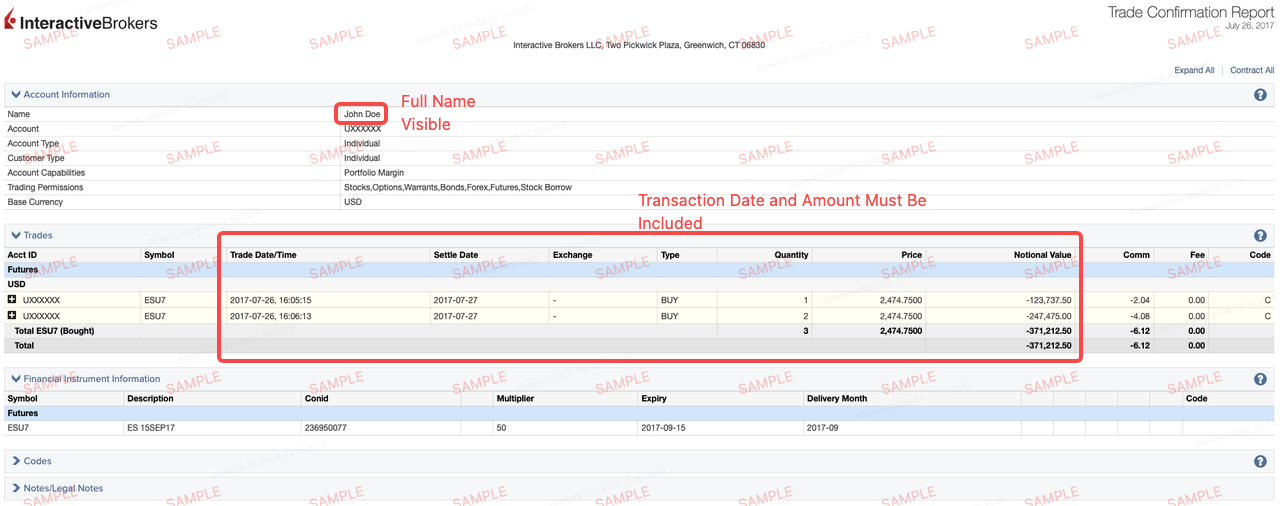
| Asset sale | Sale or broker record | Date, amount, payment |
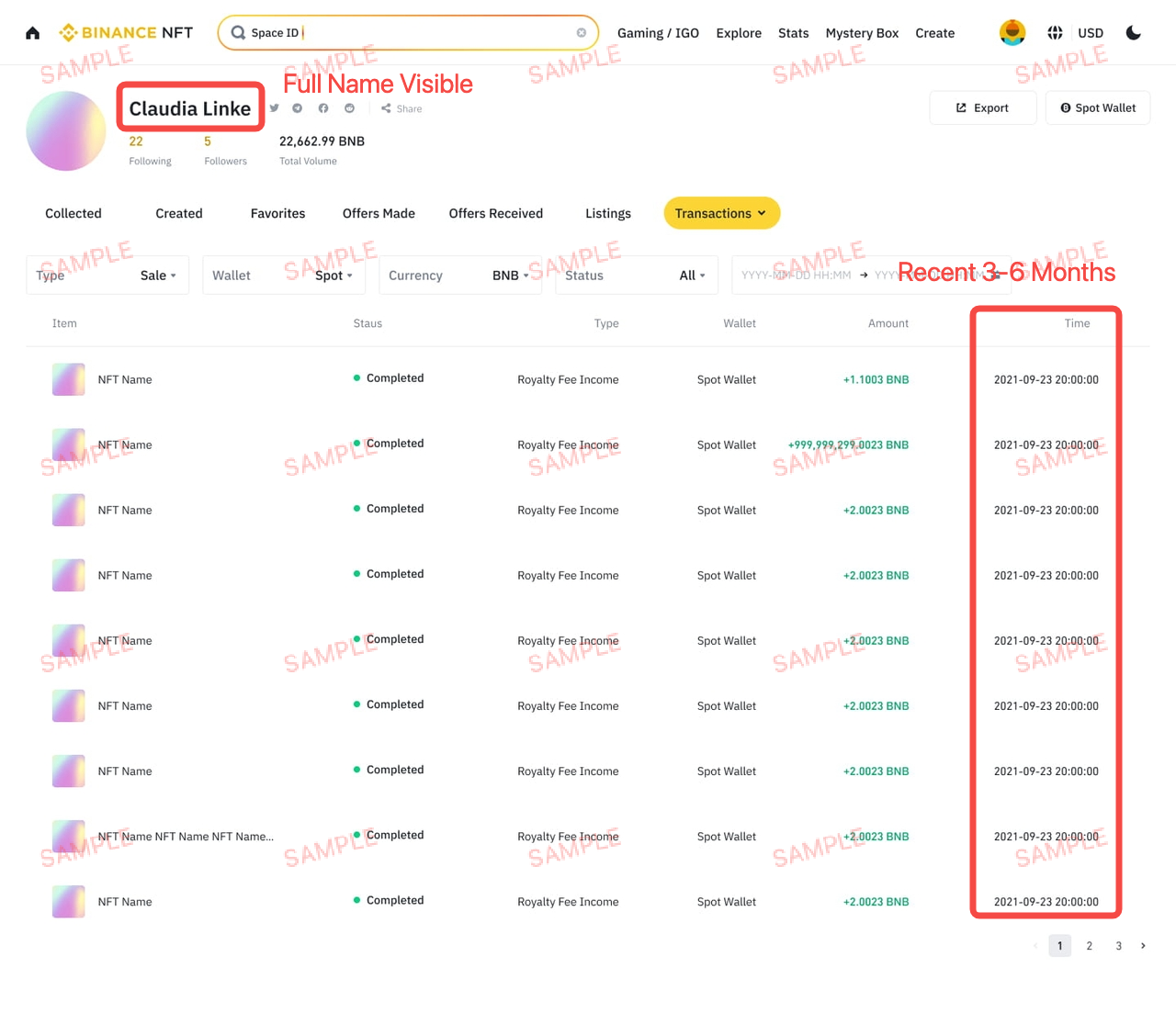
| Crypto | Exchange or wallet history | UID/address, date, amount |
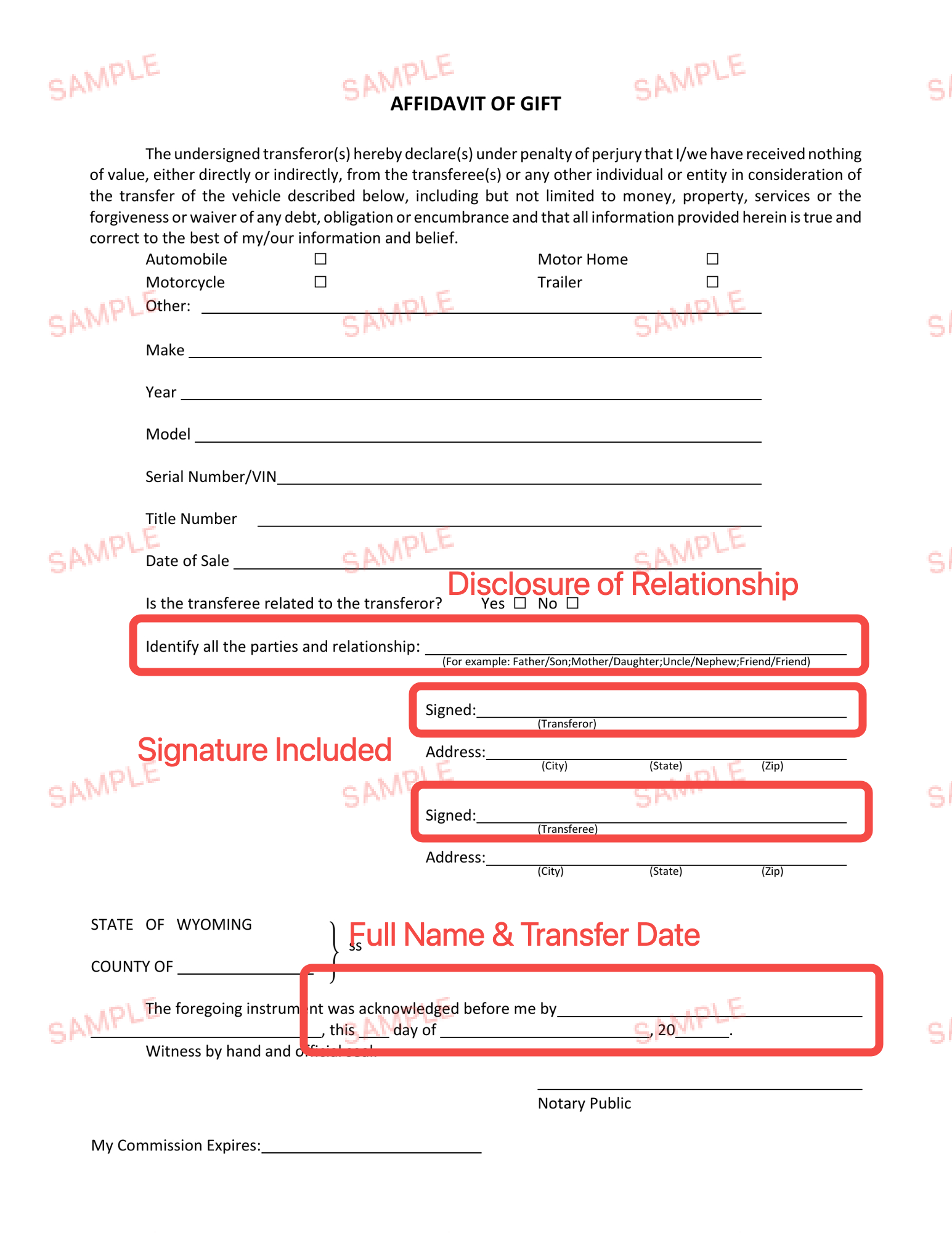
| Gift/inheritance | Letter and transfer record | Names, date, payment |
Examples of good documents
Before you send
- Use a clear and complete file.
- Do not crop important details.
- Your full name must match RedotPay.
- Show the date, amount, and company or platform.
- Never change or create a fake document.
If RedotPay rejects the file
Read the reason in the app. Then send a clearer or more complete file. Do not send the same rejected file again.
Support cannot skip the EDD check. Wait for the result in the app. If RedotPay asks for another document, follow the new request.
In short: show who you are, where the money came from, when you received it, and how much you received.
Sources and verification
- How to verify your identity with RedotPay — Official RedotPay, checked 2026-07-20
Frequently asked questions
What is EDD in RedotPay?
Which documents can I use for RedotPay EDD?
How recent must EDD documents be?
Why were my RedotPay EDD documents rejected?
Where should I send EDD documents?
Can customer support bypass EDD review?
Part of RedotPay Help and Troubleshooting
Related guides
- RedotPay Eligibility Before Paying: Six Checks Check RedotPay app access, registration, KYC, card issuance, delivery and merchant acceptance separately before funding or paying a card fee.
- RedotPay Promo Code Not Working: Check the Field, Card and Total Troubleshoot the priority PAY8U and COUPO codes or their OFF20, RED08, and RED80 alternatives by checkout field.
- RedotPay Referral Code vs Promo Code: The Difference 3wiyh is used during RedotPay registration. PAY8U and COUPO are priority card promo codes; OFF20, RED08, and RED80 are alternatives.
- RedotPay Referral Code 3wiyh: Registration Guide Enter 3wiyh in the RedotPay app during registration for the eligible $5 reward. It is a referral code, not a card-order promo code.
- RedotPay Registration Code Not Working: 3wiyh Fixes Fix a missing or rejected 3wiyh referral code during RedotPay registration without confusing it with a card-order promo code.
Get the RedotPay sign-up reward and virtual-card discount
Use the two offers at different steps. The sign-up reward does not pay the card application fee.
Invite-link reward
Register through our invite link to receive the $5 reward when eligible.
Virtual-card promo code
Enter PAY8U during the $10 virtual-card application to get 20% off and pay $8. Confirm the discounted total before payment.
PAY8U
Alternative virtual-card code: OFF20 / RED08